
Showroom Services
Turn the tour into a working catalog.
Every displayed product tagged, every tag linked. Buyers shop the tour, the tour goes back to the showroom prepared.
Why showrooms choose this service
From browse to spec in one click
A tagged tour gives every displayed SKU a clickable link to your catalog, spec sheet, or installation video. The shopping happens inside the tour.
Quarterly refreshes included
Floors change. Displays rotate. Tags update without re-scanning, included quarterly for the first year.
Trade buyers can specify from the link
Designers and contractors pull a tour link into their FF&E lists. Your floor sells specifications outside opening hours.
What you get
Deliverables
- Tagging on up to 120 displayed products per visit (Premium)
- Each tag includes title, short description, and a catalog or spec link
- Tag categories (brand, room, finish, price tier) for filtered search
- Quarterly tag refresh for the first 12 months included
See full pricing on the packages page.
Product tagging is the difference between a virtual tour that looks impressive and one that sells. A walkable tour with no tags is a marketing piece. A tagged tour is a working showroom open 24 hours a day.
The tag, in depth
A tag in a Virtualiz3D virtual showroom is far more than a label. It can carry a buy-now button, video files, pictures, internal hyperlinks, external web sources, in-depth product descriptions, brochure links, or spec sheets. Anything that adds value and answers a buyer’s question gets organised neatly inside the tag — a convenient and customisable way to communicate with customers without picking up the phone.
Info tag — the rest state
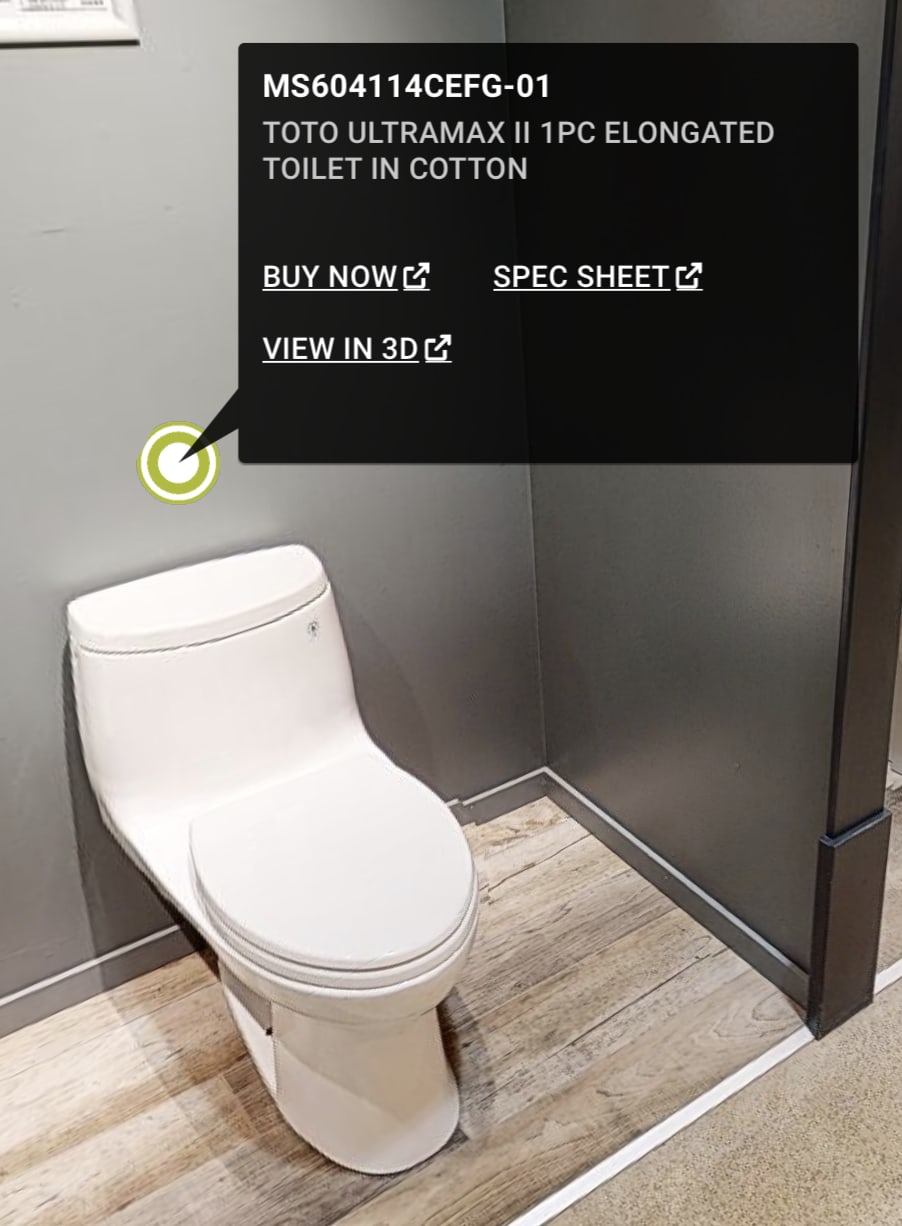
The info tag is the resting state — anchored on the product with a small dot. When the buyer clicks, a panel opens with the SKU, product name, and your chosen action links (buy-now, spec sheet, view-in-3D, more photos, etc.). Designers walk the tour with the info tags as their reference, the same way they would walk the physical floor with a notebook.
Media tag — embedded video, photo, or audio
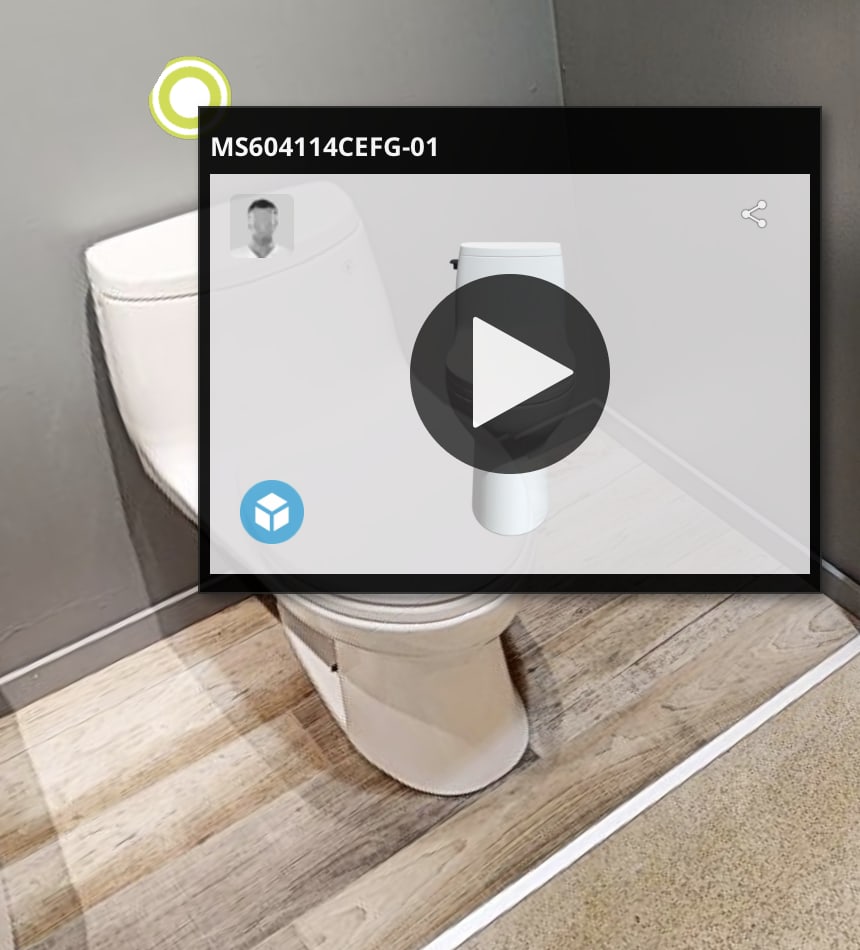
The media tag carries video, photo, or audio directly. It sits anchored on the product and plays in place — the buyer clicks the play overlay and watches an installation walkthrough, a brand promo, or a product demo without leaving the tour. Lighter than a billboard, suited to a quick story the buyer can dismiss as fast as they opened it.
Billboard tag — inline media
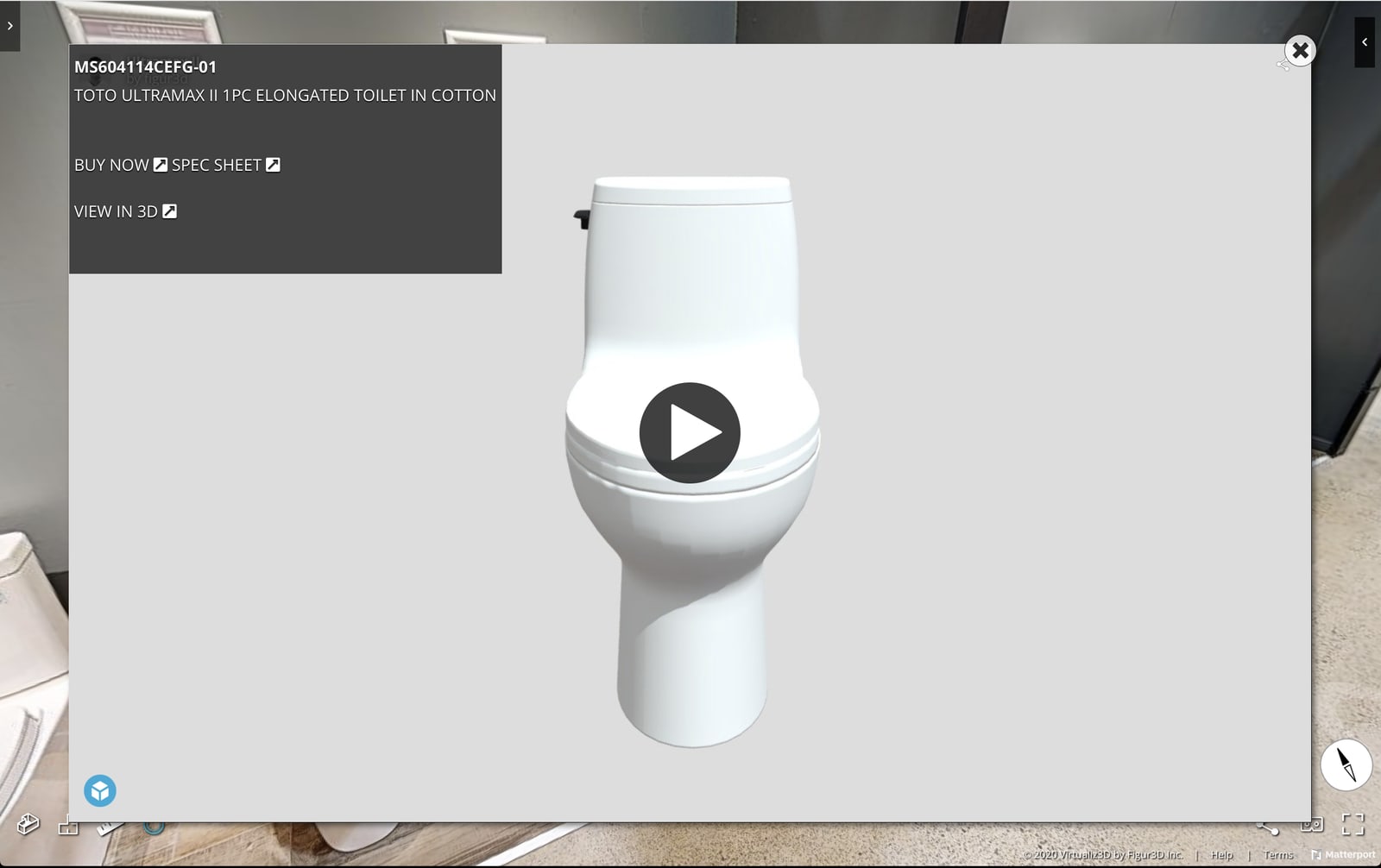
The billboard tag is the same anchor, but instead of a small inline frame it opens a full media window inside the tour itself — the centrepiece of the view until the buyer dismisses it. Designers preview a 3D product, watch an installation video, or look at a spec image without ever leaving their place on the floor. This is the Ultra-tier sample most clients use to demo what the upgrade unlocks.
What every tag includes by tier
- Standard: product code and description on every tagged product.
- Premium: the above, plus web integration — buy-now links, cart and wishlist hooks, and external catalog URLs.
- Ultra: the above, plus media integration — PDFs, pictures, video, audio, 3D product images, and an installation menu.
How tagging changes the buyer conversation
A buyer arrives at the showroom having already opened five tags in the tour the night before. The conversation starts at “I’d like to see this faucet next to this tile” — not at “show me what you have.” Showroom hours convert to specifications, not browsing.
See it live in the TUBS Virtual Showroom case study — a 30,000 sq ft floor with every product tagged, plus Ultra-tier billboard samples on selected fixtures.
Frequently asked questions
We already have a scanned tour — can you add tags without re-scanning?
Yes. If you have a hosted tour (Matterport or compatible host), we can layer in tags using your existing scan. Pricing is the same as for a freshly scanned floor.
How do you keep up with new displays?
Quarterly refresh visits are included in the first 12 months — we update tags for new products, retire tags for discontinued lines, and flag any display change that warrants a rescan.
Will the tags work on mobile?
Yes. The host platform's mobile experience supports tag click-through. Buyers tap a tag in the tour and land directly on your product page.
Pair with
Services showrooms often combine with this
Open your floor 24/7
Let buyers walk the showroom from anywhere.
We scan after-hours so your floor stays presentable. Tell us about the room and we will scope a visit.